JSON to Avro Schema
JSON to Avro Schema Generator
The JSON to Avro Schema Generator converts JSON samples into Apache Avro schemas. Avro is widely used in data streaming and big data pipelines because it provides compact, binary serialization with an explicit schema. By generating an Avro schema from JSON, you can quickly define the contract for Kafka topics, data lakes, and ETL pipelines without manually writing schema files.
This tool takes a JSON example and infers Avro types, record structures, and nested fields. It is ideal for prototyping, onboarding new datasets, or ensuring compatibility between producers and consumers in streaming systems. Everything runs locally in your browser, so your data stays private.
Why Avro schemas matter
- Defines a clear contract between producers and consumers.
- Enables schema evolution in streaming pipelines.
- Supports compact binary encoding for efficient storage.
- Works well with Kafka, Hadoop, and data lakes.
How to use the generator
- Paste JSON sample data in the left editor.
- Click Generate Avro → Right.
- Review the schema and adjust names if needed.
- Copy or download the schema.
JSON to Avro converter online: quick tutorial
- Set record name/namespace, then choose enum and logical type options.
- Click Generate Avro → Right to create the schema.
- Copy or download the
.avscfile.
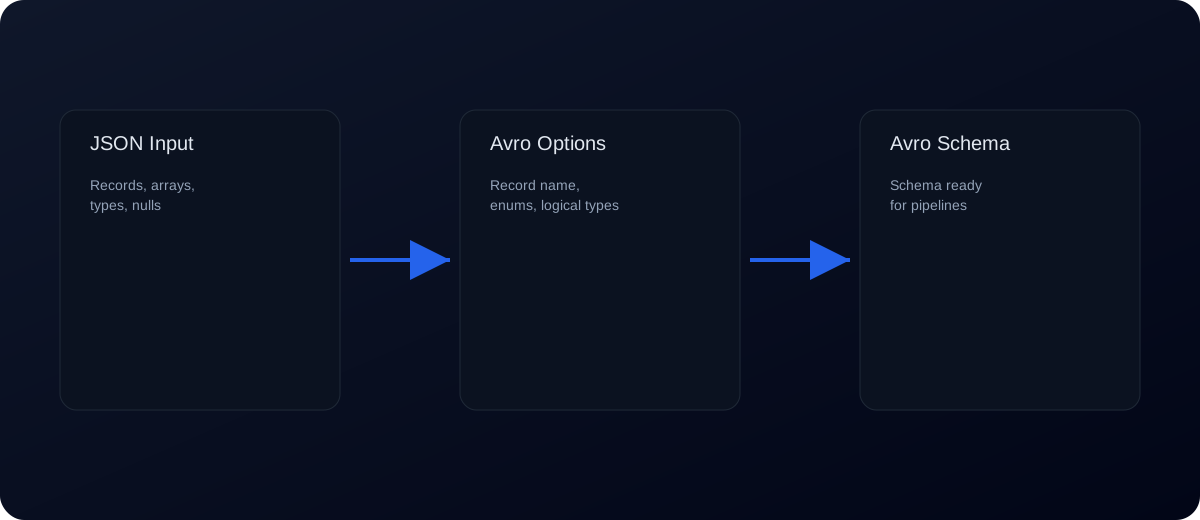
Example: JSON to Avro schema
Input JSON:
{
  "id": 1,
  "name": "Avi",
  "active": true,
  "score": 9.5,
  "tags": ["stream", "avro"]
}
Generated Avro schema (simplified):
{
  "type": "record",
  "name": "Root",
  "fields": [
    { "name": "id", "type": "long" },
    { "name": "name", "type": "string" },
    { "name": "active", "type": "boolean" },
    { "name": "score", "type": "double" },
    { "name": "tags", "type": { "type": "array", "items": "string" } }
  ]
}
Nested objects and records
If your JSON contains nested objects, the generator creates nested Avro records. For example:
{
  "user": { "id": 1, "email": "avi@example.com" },
  "meta": { "source": "api" }
}
Becomes a schema with embedded record types for user and meta.
Common errors and fixes
- Invalid JSON: Avro generation requires valid JSON. Use JSON Validator to fix syntax errors.
- Mixed types: Arrays with mixed types may cause incorrect schemas. Normalize the array or use consistent values.
- Null values: Avro represents nulls using unions (e.g.,
["null","string"]). Provide non-null samples when possible. - Unexpected record names: Names are inferred from keys. Rename records if needed for clarity.
- Schema too loose: If the sample is incomplete, the schema may not capture all fields. Use representative samples.
Best practices for Avro schemas
- Use representative JSON samples with all expected fields.
- Review and rename record names to match your domain.
- Define unions for nullable fields when needed.
- Keep field order consistent for stability.
- Validate schema evolution rules when updating schemas.
Schema options explained
- Record name / namespace: Controls top‑level schema naming.
- Root type: Choose record or array for top‑level JSON.
- Object mode: Use record for fixed keys, map for dynamic keys.
- Null union order: Select whether null comes first or last.
- Enum detection: Converts low‑cardinality strings into enums.
- Logical types: Add date/time/timestamp or decimal logical types.
- Integer threshold: Switches between int and long.
- Force string IDs: Keeps ID fields as strings for safety.
Schema evolution basics
Avro supports schema evolution, which allows producers and consumers to work with different schema versions. Adding a field with a default value is usually safe. Removing fields or changing types requires more care. When evolving schemas, test compatibility rules to ensure old data can still be read.
For Kafka and schema registries, enforce backward or forward compatibility depending on your pipeline needs. Avoid breaking changes in production systems.
Avro vs Protobuf (quick comparison)
Avro is commonly used in data pipelines and streaming systems because schemas are stored with or alongside the data, enabling schema evolution. Protobuf is widely used for RPC and typed services. If you are working with Kafka, Spark, or data lakes, Avro is often the better fit. If you are designing service contracts and RPC interfaces, consider Protobuf.
Pipeline checklist
- Generate a schema from a representative JSON sample.
- Review record and field names for clarity.
- Add defaults for new fields.
- Register the schema in your registry (if used).
- Test serialization/deserialization with real data.
Common pipeline pitfalls
- Inconsistent fields: If sample data is incomplete, the schema may not include all fields.
- Type drift: Strings that later become numbers can break compatibility. Standardize types early.
- Missing defaults: Without defaults, new fields can break consumers.
- Overly generic types: Avoid converting everything to strings; use accurate types for better validation.
Type inference guidance
Avro has specific primitive types like string, int, long, double, and boolean. This generator infers types from sample JSON values. If you need a different type (for example, int instead of long), update the schema manually after generation.
Dates and timestamps in JSON are usually strings. If you want Avro logical types, add them manually (e.g., {"type":"long","logicalType":"timestamp-millis"}).
Checklist for production Avro schemas
- Generate a baseline schema from a representative JSON sample.
- Rename records and fields for clarity.
- Add default values for new fields.
- Define logical types for dates and timestamps.
- Test compatibility with existing data.
Use cases
Kafka pipelines: Define Avro schemas for topic messages.
Data lakes: Store structured data with schema validation.
ETL jobs: Convert JSON feeds into Avro-compatible data.
Microservices: Enforce contracts between services using schema registries.
Keyword‑targeted phrases
- json to avro
- convert json to avro
- json to avro schema
- json to avro converter
- avro schema from json
- json to avro online
FAQs
Does this tool generate a full Avro schema?
Yes. It generates a complete record schema based on your JSON sample.
How are nulls handled?
Nulls are represented as Avro unions (e.g., ["null","string"]).
Can I use this with Schema Registry?
Yes. The output can be used with Confluent or other schema registries.
Is my JSON uploaded?
No. Everything runs locally in your browser.
What if my JSON contains arrays of objects?
The generator creates an array of record types for those objects.
How do I validate the schema?
Test it with your Avro tools or use sample serialization to confirm compatibility.
How is this different from JSON Schema?
JSON Schema validates JSON; Avro schemas define a binary serialization format.
Can I edit the schema after generation?
Yes. Copy the schema and modify it as needed for production use.
Does the schema include defaults?
Defaults are not always inferred. Add them manually to support evolution.
Can I generate schemas for arrays of records?
Yes. Arrays become items definitions with record types.
Is Avro the same as JSON Schema?
No. JSON Schema validates JSON, while Avro defines a binary serialization format.
Does this tool support logical types?
You can add logical types manually after generation for dates and timestamps.
Can I use this schema with Kafka?
Yes. Avro schemas are commonly used with Kafka and schema registries.
Can I generate enums automatically?
Yes. Enable enum detection to convert low‑cardinality strings into Avro enums.
Can I control null union order?
Yes. Choose null‑first or null‑last union ordering in the options.
Related tools: JSON to Protobuf, JSON Schema Validator, JSON Formatter, JSON to XSD