JSON to Protobuf
JSON to Protobuf Schema Generator
The JSON to Protobuf Schema Generator converts JSON samples into Protocol Buffers (Protobuf) schema definitions. Protobuf is a compact, strongly typed format widely used in gRPC services and high-performance systems. By generating a schema from JSON, you can quickly define message structures, enforce type safety, and reduce payload sizes in distributed systems.
This tool infers message fields, nested message types, and repeated fields based on your JSON structure. It is ideal for prototyping APIs, migrating from JSON to Protobuf, or creating message definitions for internal services. All processing runs locally in your browser.
Why Protobuf schemas matter
- Define strict message contracts for gRPC and internal services.
- Enable fast binary serialization with small payloads.
- Support backward-compatible schema evolution.
- Improve performance for high-throughput systems.
How to use the generator
- Paste JSON sample data in the left editor.
- Click Generate Proto → Right.
- Review field names and data types.
- Copy or download the schema.
JSON to Protobuf converter online: quick tutorial
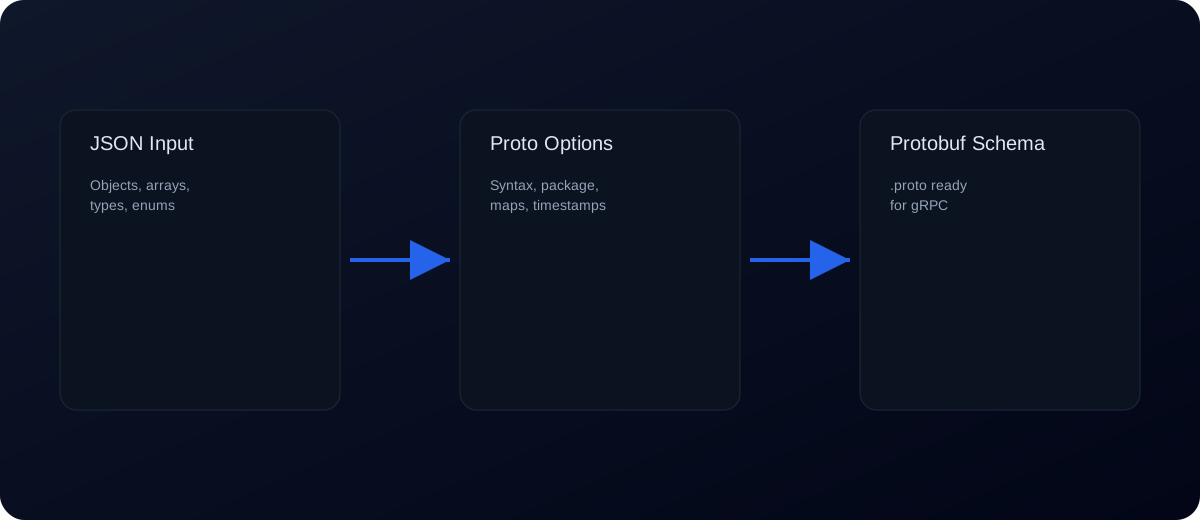
- Choose proto3 or proto2 and set a package name if needed.
- Pick field naming (snake_case) and object handling (message or map).
- Enable enum detection or timestamp mapping if your data uses them.
- Click Generate Proto → Right and download the
.protofile.
Schema options explained
- Proto syntax: Choose proto3 or proto2 headers.
- Package name: Adds a
packagedeclaration to the file. - Field naming: Use snake_case or keep JSON keys.
- Object handling: Convert objects to messages or maps.
- Enum detection: Convert low-cardinality strings into enums.
- Timestamps: Map ISO datetimes to
google.protobuf.Timestamp. - Field numbering: Control the start and step for field numbers.
Example: JSON to Protobuf
Input JSON:
{
  "id": 1,
  "name": "Avi",
  "active": true,
  "roles": ["admin", "editor"]
}
Generated Protobuf schema (simplified):
message Root {
  int64 id = 1;
  string name = 2;
  bool active = 3;
  repeated string roles = 4;
}
Nested objects and repeated fields
Nested JSON objects become nested messages. Arrays become repeated fields. For example:
{
  "user": { "id": 1, "email": "avi@example.com" },
  "tags": ["a", "b"]
}
Produces a User message and a repeated string tags field.
Common errors and fixes
- Invalid JSON: Protobuf generation requires valid JSON. Use JSON Validator to fix syntax errors.
- Mixed array types: Arrays should contain a consistent type. Normalize data for correct
repeatedfields. - Null values: Protobuf does not have native nulls. Use optional fields or wrapper types if needed.
- Dynamic keys: Use map mode to convert objects with variable keys into
map<...>fields. - Unexpected field numbers: Field numbers are inferred sequentially. You can adjust numbers to align with existing schemas.
- Invalid field names: JSON keys with spaces or hyphens may need manual cleanup.
Best practices for Protobuf schemas
- Use representative samples with all expected fields.
- Rename messages and fields to match your domain model.
- Reserve field numbers when removing fields to keep compatibility.
- Use optional or wrapper types for nullable fields.
- Document schemas alongside service definitions.
Field numbering and evolution
Field numbers are a core part of Protobuf compatibility. Once a field number is assigned and used in production, it should never be reused for a different purpose. If you remove a field, mark its number as reserved. This prevents old data from being misinterpreted by new schemas.
When evolving schemas, add new fields with new numbers at the end. Avoid changing field types or names in ways that break compatibility unless you control all consumers.
Protobuf and gRPC workflows
Protobuf schemas are commonly used to define gRPC services. If you are migrating from JSON APIs to gRPC, start by generating Protobuf message definitions from your existing JSON responses. Then refine the schema for naming, field numbers, and optional fields. This gives you a clear starting point for new service contracts.
JSON mapping considerations
When converting JSON to Protobuf, remember that JSON values may not map perfectly to Protobuf types. Large integers may require int64, and floating-point values may map to double. Strings that represent dates or UUIDs remain strings in Protobuf unless you use custom types. Review and adjust types after generation.
Handling nulls and optional fields
Protobuf does not support null in the same way JSON does. For optional values, use optional fields in Protobuf 3 or wrapper types (e.g., google.protobuf.StringValue). If your JSON samples contain nulls, consider representing them with optional fields or default values in the schema.
Checklist for production .proto files
- Generate a baseline schema from JSON.
- Rename messages and fields for clarity.
- Assign and review field numbers.
- Reserve numbers for removed fields.
- Test serialization with sample payloads.
Common pitfalls
- Mixed arrays: Arrays should contain one type to become a clean
repeatedfield. - Field renames: Renaming fields without keeping field numbers can break compatibility.
- Default values: Protobuf has default values for scalars; missing fields may still appear as defaults.
- Map vs object: JSON objects are not automatically maps; choose map fields intentionally.
Code generation note
Once your schema is ready, generate client/server code using your Protobuf compiler. This keeps your models and API contracts consistent across services.
Use cases
gRPC APIs: Generate message definitions from JSON payloads.
Microservices: Enforce strict contracts across services.
Mobile apps: Reduce payload size and parse quickly.
Data interchange: Standardize data between teams and systems.
Keyword‑targeted phrases
- json to protobuf
- json to proto
- json to protobuf converter
- json to proto3
- convert json to protobuf schema
- protobuf schema generator
- json to protobuf online
- json to proto file
- json to grpc schema
FAQs
Does this tool generate full .proto files?
Yes. It outputs a ready .proto with syntax header, optional package, and message definitions.
How are field numbers assigned?
Field numbers are assigned sequentially. You can set the start and step in the options.
Does it support proto2 and proto3?
Yes. Choose the syntax in the options.
Can I generate enums automatically?
Yes. Enable enum detection to convert low-cardinality strings into enums.
Does it support map fields?
Yes. Use Object handling → Map for dynamic keys.
Can it map timestamps?
Yes. Enable ISO datetime detection to use google.protobuf.Timestamp.
Is my JSON uploaded?
No. Everything runs locally in your browser.
Can I edit the .proto after generation?
Yes. The right editor is fully editable.
Can I use this with gRPC?
Yes. The output is compatible with gRPC workflows.
Related tools: JSON to Avro, JSON Schema Validator, JSON Formatter, JSON to XSD