JSON to XSD Generator — Convert JSON to XML Schema
JSON to XSD Generator
The JSON to XSD Generator converts JSON samples into XML Schema Definitions (XSD). This JSON to XSD converter online is useful when you need to move between JSON and XML workflows, validate XML payloads, or document XML contracts for legacy systems. XSD describes the structure, data types, and required elements of XML documents. By generating XSD from JSON, you can quickly bootstrap schemas without writing them by hand.
Many organizations still rely on XML integrations, while modern systems produce JSON. This JSON to XSD generator online helps bridge that gap by deriving an XML schema that mirrors your JSON structure. It is ideal for migration projects, API gateways, and integration testing where XML validation is required. Everything runs locally in your browser, so your data stays private.
If you are searching for convert JSON to XSD, JSON to XSD converter, or JSON XSD, this page gives you a fast, client‑side tool with flexible options.
What this generator does
- Infers XML element structure from JSON objects and arrays.
- Maps JSON primitive types to XSD types (string, integer, boolean, date/time, etc.).
- Supports namespaces, elementFormDefault, and attributeFormDefault.
- Controls array wrapping, item names, and maxOccurs.
- Provides name casing and XML name sanitization for safe element names.
- Produces a usable XSD template you can refine for production.
What is XSD?
XSD (XML Schema Definition) is a standard for describing the structure of XML documents. It defines allowed elements, ordering, data types, and constraints. If you need XSD for JSON workflows, the generator creates a schema template that mirrors your JSON sample.
Convert JSON to XSD step‑by‑step
- Paste a representative JSON sample in the left editor.
- Set the root element name (e.g.,
Rootorinvoice). - Configure arrays, namespaces, and type detection.
- Click Generate XSD and download the output.
JSON Schema to XSD (what’s possible)
JSON Schema is different from JSON data. This tool generates XSD from JSON instances, not from JSON Schema directly. If you have a JSON Schema, create a representative JSON sample first, generate XSD here, and then refine it manually. This approach helps when you search for json schema to xsd conversions.
XSD to JSON / XSD to JSON Schema
This tool generates XSD from JSON. If you need xsd to json or xsd to json schema, you can convert XML to JSON with XML to JSON, then generate JSON Schema with JSON Schema Builder or validate with JSON Schema Validator.
Step-by-step tutorial (new features)
- Paste a representative JSON sample in the left editor.
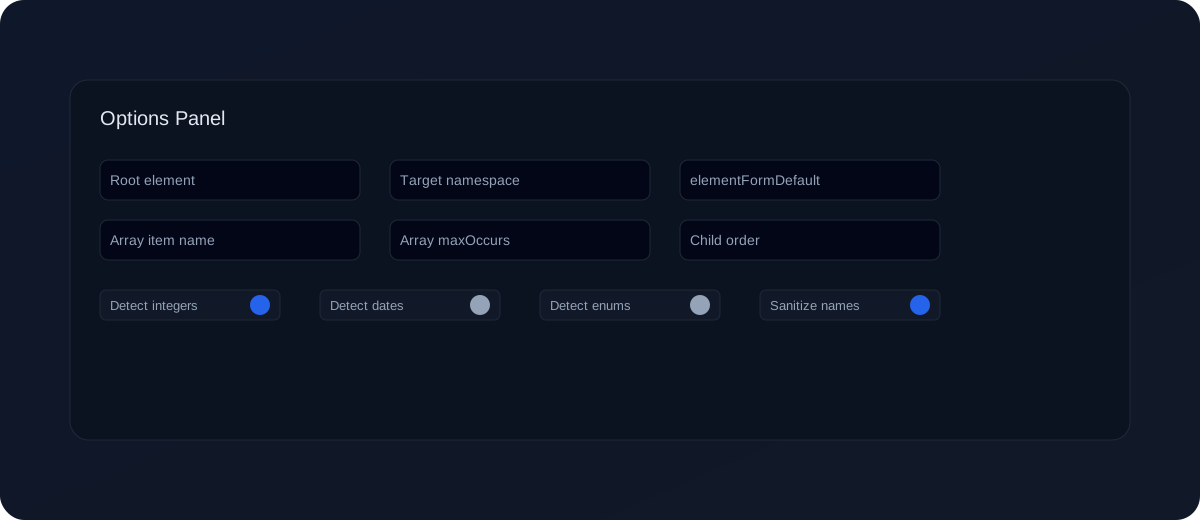
- Set the Root element and optional Target namespace.
- Choose elementFormDefault / attributeFormDefault and child order (
xs:sequencevsxs:all). - Configure arrays: Wrap arrays, item name, and
maxOccurs. - Enable type inference (integers, dates) and optional enums.
- Click Generate XSD and refine if needed.
New example (namespaces + arrays + enums)
Input JSON:
{
  "invoice": {
    "id": 501,
    "status": "PAID",
    "issued_at": "2025-11-03T10:30:00Z",
    "lines": [
      { "sku": "PEN", "qty": 2, "price": 1.25 }
    ]
  }
}
Generated XSD (simplified, with targetNamespace and enum detection):
<xs:schema xmlns:xs="http://www.w3.org/2001/XMLSchema">
  <xs:element name="invoice">
    <xs:complexType>
      <xs:sequence>
        <xs:element name="id" type="xs:integer"/>
        <xs:element name="status">
          <xs:simpleType>
            <xs:restriction base="xs:string">
              <xs:enumeration value="PAID"/>
              <xs:enumeration value="OPEN"/>
            </xs:restriction>
          </xs:simpleType>
        </xs:element>
        <xs:element name="issued_at" type="xs:dateTime"/>
        <xs:element name="lines">
          <xs:complexType>
            <xs:sequence>
              <xs:element name="item" maxOccurs="unbounded">
                <xs:complexType>
                  <xs:sequence>
                    <xs:element name="sku" type="xs:string"/>
                    <xs:element name="qty" type="xs:integer"/>
                    <xs:element name="price" type="xs:decimal"/>
                  </xs:sequence>
                </xs:complexType>
              </xs:element>
            </xs:sequence>
          </xs:complexType>
        </xs:element>
      </xs:sequence>
    </xs:complexType>
  </xs:element>
</xs:schema>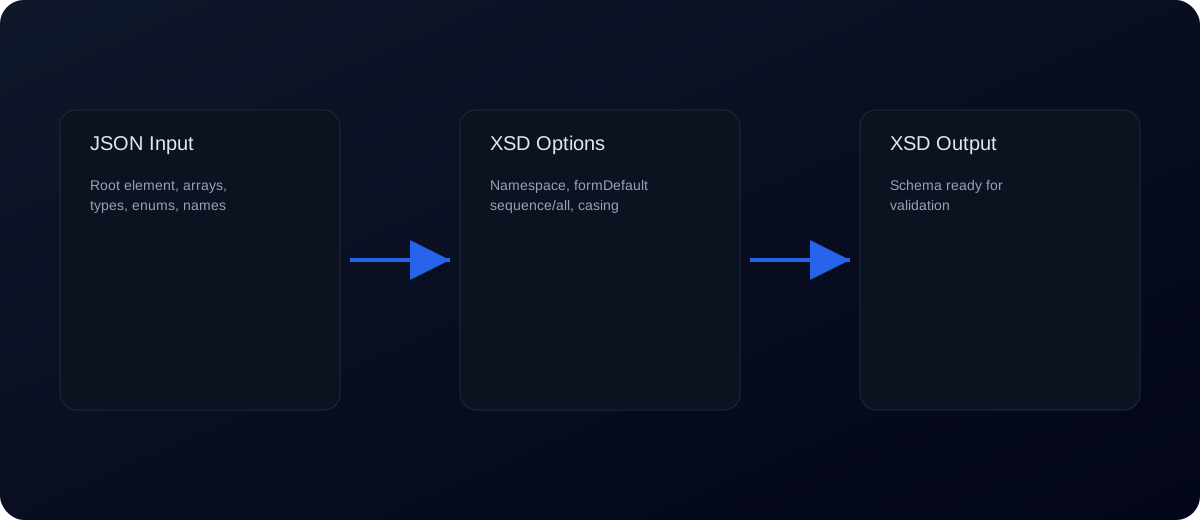
How JSON maps to XML types
- string →
xs:string - number (integer) →
xs:integer - number (decimal) →
xs:decimal - boolean →
xs:boolean - array → repeated elements with
maxOccurs
JSON to XSD Converter Use Cases
This JSON to XSD generator helps developers create XML Schema definitions from JSON samples. It is useful when you need to validate XML documents, define data contracts, document APIs, or convert JSON-based structures into schema formats used by XML systems.
- Create an XSD schema from a JSON sample
- Generate XML Schema definitions for API documentation
- Convert nested JSON objects into structured XSD elements
- Validate XML data using a schema generated from JSON
- Prepare schema files for integration with XML-based systems
How to Convert JSON to XSD Online
Follow these steps to generate an XSD schema from a JSON sample:
- Paste a representative JSON sample on the left.
- Set Root element and enable Wrap arrays if you have lists.
- Click Generate XSD, then copy or download the schema.
Example: JSON array to XSD
JSON input:
{
  "users": [
    { "id": 1, "name": "Avi" },
    { "id": 2, "name": "Kritika" }
  ]
}
XSD snippet (simplified):
<xs:element name="users">
  <xs:complexType>
    <xs:sequence>
      <xs:element name="item" maxOccurs="unbounded">
        <xs:complexType>
          <xs:sequence>
            <xs:element name="id" type="xs:integer"/>
            <xs:element name="name" type="xs:string"/>
          </xs:sequence>
        </xs:complexType>
      </xs:element>
    </xs:sequence>
  </xs:complexType>
</xs:element>
Common errors and fixes
- Invalid JSON: XSD generation requires valid JSON. Use JSON Validator to fix syntax issues.
- Mixed array types: Arrays with mixed types can produce ambiguous schemas. Normalize arrays for consistent items.
- Null values: Nulls may be inferred as optional fields. Provide non-null examples if the field is required.
- Unexpected element names: Element names are inferred from keys. Rename elements in the XSD if needed.
- Schema too loose: If the JSON sample is incomplete, the XSD may miss fields. Use representative samples.
Best practices for XSD generation
- Use a representative JSON sample with all expected fields.
- Review the generated schema and add constraints (lengths, patterns, enums).
- Decide whether fields should be optional or required and update
minOccurs. - Document element meanings using annotations if needed.
- Validate generated XSD with real XML payloads.
XML schema basics (quick guide)
XSD uses xs:element to define elements, xs:complexType for nested structures, and xs:sequence to order child elements. Optional elements use minOccurs="0", while repeated elements use maxOccurs with a number or unbounded. If you need attributes, add xs:attribute manually inside a complex type.
Although the generator produces a valid schema, you may want to refine it to match your XML conventions, such as element ordering, naming styles, or namespace usage. For example, XML payloads often use different naming conventions than JSON (kebab-case or PascalCase). Update the XSD names accordingly if your XML consumers expect a specific style.
Namespaces and root elements
Many XML integrations require namespaces to avoid conflicts. If your system uses a namespace, add a targetNamespace to the schema and use xmlns prefixes consistently. You may also need to declare a root element that wraps the generated structure. This is common in SOAP-based services and enterprise integrations.
When adding namespaces, ensure that XML instances reference the same namespace and that element names match the schema definitions. Namespace mismatches are a common cause of validation errors.
Validation workflow checklist
- Generate XSD from a representative JSON sample.
- Review element names, types, and required fields.
- Add constraints like
patternormaxLengthwhere needed. - Validate the schema using an XML validator.
- Test with real XML payloads and update the schema if necessary.
Common integration pitfalls
- Element ordering: XSD sequences enforce order. If XML payloads send fields in different orders, consider using
xs:all. - Attributes vs elements: JSON has no attributes, so the generator outputs elements. Add attributes manually if required.
- Empty elements: If your XML allows empty elements, update types or minOccurs accordingly.
- Namespaces: Incorrect namespace declarations cause validation failures.
Testing with sample XML
After generating the XSD, validate it using a sample XML document. Start with a simple XML derived from your JSON and make sure validation passes. Then test edge cases like missing optional fields, empty arrays, or extra elements. This ensures your schema matches real integration behavior.
If validation fails, compare the XML element names and order to the XSD. Small mismatches in naming or namespace usage are the most common issues.
JSON to XSD vs JSON Schema
JSON Schema validates JSON, while XSD validates XML. If your system is JSON-first, use JSON Schema Validator. If you need XML validation for integration or compliance, generate XSD and apply it to XML payloads.
Use cases
Legacy integrations: Convert JSON payloads to XML schemas for older systems.
API gateways: Document XML contracts using XSD derived from JSON models.
Data exchange: Validate XML exports based on JSON source data.
Migration projects: Bridge JSON APIs with XML consumers during transitions.
FAQs
Does this generate a full XSD?
Yes, but you may need to refine constraints and annotations for production.
Can I convert JSON arrays to XSD with maxOccurs?
Yes. Arrays become repeated XML elements with maxOccurs set, and you can edit the item name.
Is this a JSON to XSD generator with namespace support?
Yes. Add a target namespace and control elementFormDefault / attributeFormDefault.
How do I generate XSD from JSON with optional fields?
Enable Null → minOccurs=0 or edit minOccurs manually.
Does the tool detect integers or dates?
Yes. Turn on Detect integers and Detect dates for better type inference.
Can I generate XSD from JSON array of objects?
Yes. Use Wrap arrays and set the array item name and maxOccurs.
How do I convert JSON arrays to XSD?
Arrays become repeated elements with maxOccurs. Use Wrap arrays and set an item name for consistent output.
How do I convert JSON to XSD with enums?
Enable Detect enums and set the max values threshold.
Does it sanitize invalid XML element names?
Yes. Enable Sanitize XML names to fix invalid characters.
Can I change element name casing?
Yes. Choose camelCase, PascalCase, snake_case, or kebab-case.
Is my JSON uploaded?
No. All processing happens locally in your browser.
How is this different from JSON to XML?
JSON to XML converts data; JSON to XSD generates a schema for validation.
Does it support attributes?
JSON does not map directly to XML attributes. Add xs:attribute manually after generation.
Can I validate XML with this tool?
This tool generates XSD. Use an XML validator to validate documents.
Can I convert JSON Schema to XSD?
Not directly. Generate XSD from JSON instances and refine it to align with your JSON Schema.
Can I convert XSD to JSON?
Not in this tool. Use XML to JSON first, then build JSON Schema if needed.
Related workflows
- Validate source payloads first with json validator and json schema validator.
- Export validated data with json to excel or json to csv converter.
- If your data starts as spreadsheets, prepare input using csv to json converter before generating XSD.
Related tools: JSON to XML, XML to JSON, JSON Formatter, JSON Schema Validator, XSD to JSON, JSON Diff Checker